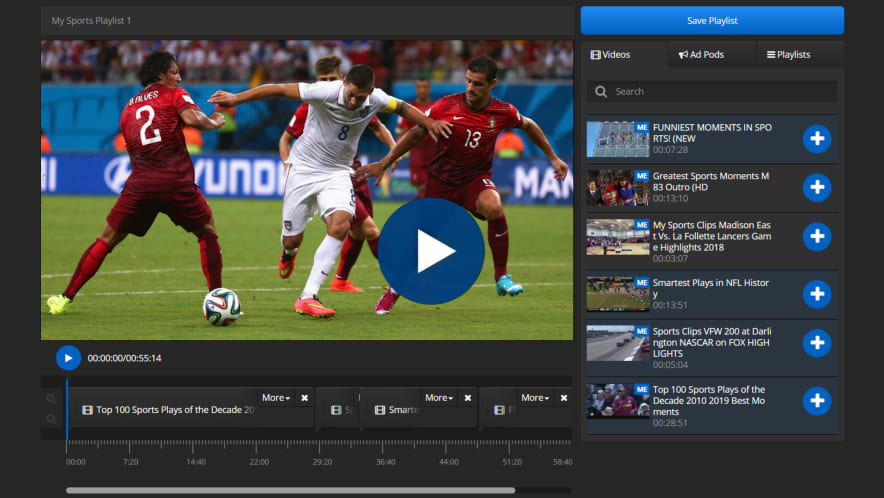
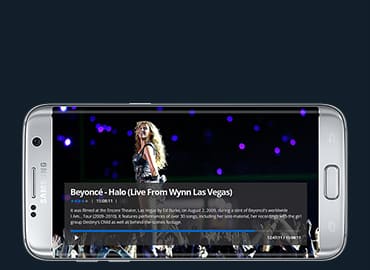
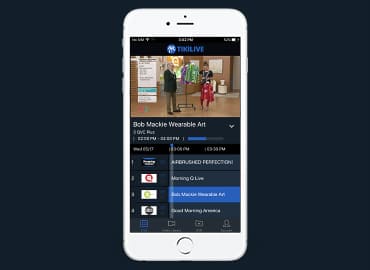
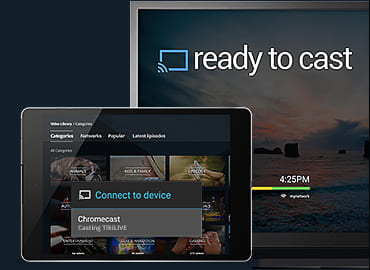
Make your mark in the LIVE Entertainment Industry with the turnkey JamOnCam platform - the most powerful, most complete, most feature-rich streaming tool available on the market today! With this easy-to-use platform you can enter the lucrative world of live and video on demand streaming by delivering the highest quality Live HD Audio/Video to your very own customized website. Instantly connect to the world - stream concerts, sporting events, newsfeeds; stream anything you’d like! The applications are limitless, and the process to get started is simple.
Our custom solutions require no download, little technical knowledge, and can be setup as a pay-per-minute, pay per month or pay per view streaming portal. With the data analysis tools you can track viewership and income with our full service back office accounting system. Pay per view doesn’t get any easier than it does with JamOnCam.
JamOnCam offers the versatility and maturity of nearly a decade of development. Now that we've launched Version 5, there has never been a better time to get started! Every platform we deliver is tailored specifically for you to suit your business needs perfectly. JamOnCam has all of the tools necessary to be successful and we are available for support every step of the way. With a wide range of additional modules you can customize the platform to include exactly the features you want. No matter the size of your organization or the features you require, our expert team can create a custom solution just for you!
We offer first-class support and we're available 24/7 from conception to implementation. We guide you along the way by providing training, free maintenance for 12 months, and automatic upgrades. Since JamOnCam is scalable we can help you grow along the way. And with in-house hosting available, JamOnCam is a fully turnkey solution for Live Streaming HD Video. Designed to streamline your operations this ultimate software platform will help you meet and exceed your customer's expectations!
Product Screen Shots
Studio Ready
Studio Ready Software
JamOnCam is a fully turnkey platform that gives you all of the tools to you need to start a pay per minute/view site. Broadcast LIVE and serve VODs on this feature-rich easy to use platform.
HD Broadcasting
HD Broadcasting Ready
The JamOnCam platform offers the best High Definition broadcasting on the web. Whether using professional equipment or an inexpensive HD webcam, JamOnCam's High Definition player will impress even the most scrutinizing viewers.
HD Pay Per View
High Definition Pay Per View Events
The JamOnCam Pay Per Minute and Pay Per View is the most robust billing solution available on the web. Easily monetize all of your content and breathe easy knowing that it is a bulletproof billing system.
HD 2-Way Chat
High Definition 2-Way Chat
Featuring the latest in noise-cancelling technology, the JamOnCam platform allows a broadcaster and a viewer to participate in in the highest quality cam chat available on the market. "It's like Skype... but HD!" says Eyepartner owner, Tim Green.
Chat Console
Broadcaster Chat Console
When your broadcasters login to the JamOnCam platform, they are directed to their chat room. Once they've left the "break room" they will be broadcasting live for viewers to tune in.
Quality Control
Quality Control
Featuring easy to use controls, your broadcasters can edit their settings to ensure that only the highest quality of broadcasts are published. They can switch between cameras and microphones, adjust input size, audio levels and bitrate in real-time based on viewer input.
Broadcaster List
Broadcaster List
As the admin, you'll have a quick overview of all your online broadcasters. See which type of chat they are in and how long they have been in the chat. Choose between thumbnail and list view.
Announcements
Announcements
Keep communication open with your broadcasters by sending them alerts during their broadcasts. Give encouragement or offer advice to keep them motivated and focused.
Monitor
Monitor
Join a broadcast session to monitor your broadcasters. If you join invisibly, she will not know you are watching. This feature helps to ensure that all broadcasters are following the rules and regulations you have put in place on your platform.
JamOnCam
JamOnCam Homepage
The homepage is clean and simple. Users are instantly drawn to the broadcasters with only the most important tools present. This gets your clients chatting quickly.
Broadcasters
Broadcaster List View
With one click the user can get a more in depth description of the broadcasters by switching from the 'Thumb View' to the 'List View'. The List View adds a personal description which is set by the chat host.
Footer
Footer
In the footer, the most recently loaded Videos On Demand appear so they get immediate client exposure. Information about the site, including how to sign up as a member, broadcaster or affiliate is available for all to see.
Login
Login
If a user is new to the site, they have the option to 'Join FREE'. With their name and email address they can sign up for a free account to have a look around. Existing members can login.
Filter
Filter
Users can filter through the broadcasters based on categories defined by the admin. This helps them find exactly the right broadcaster for them. The search bar makes finding a specific broadcaster fast and easy.
Feedback
Feedback
For users who wish to leave comments about the site, the feedback popup is handy. An easy to follow form lets them rate the site and give input and recommendations.
Sign-up
Sign-up
By selecting a username and password then entering a valid email address a new user can gain access to the site. No obnoxious forms to fill out that deter people from signing up.
Profile
Profile
When users navigate to a broadcaster's profile page they get an easy to follow overview. It's setup much like other social networking sites so users are comfortable with the design.
Details
Details
In addition to friends, photos and videos on the profile page, a broadcaster can input personal details. This includes a schedule for when she will be online and her rates for the different types of meetings that are available.
Gifts/Donations
Gifts/Donations
Even if a broadcaster is offline a user can still send funds to him using the offline gift feature.
Friends
Friends
Since these platforms are meant to be social, having friends on the site is a must. Easily view members on the site and connect with them with a simple click.
Timezone
Timezone
To make sure that the broadcasters' schedules appear correctly and eliminate confusion users can select their timezone. Once set, all times displayed on the site will appear at the correct time.
Appointments
Appointments
Users can message a broadcaster to request an appointment. By requesting the exact date, time and length users can connect with broadcasters on their own schedule. The broadcaster can approve, reject or modify the appointment.
Share
Share
Photos are wildly popular on social networking sites and JamOnCam is no different. Broadcasters can upload photos for easy viewing, and even sell the photographs.
Buy
Buy
In order to participate in paid broadcasts, users will need to purchase tokens. They select an amount and enter their credit card information. The process is quick and easy. Now they are ready to spend!
Chat
Chat
Once on the profile page of a broadcaster who is currently online the user will be able to enter the broadcast. Options include free chat, group chat or private sessions. Special session types are available upon request.
Videos
Videos
Since broadcasters cannot be online 24/7 videos on demand are a great way to capture revenue all day every day. Users can filter the videos just like they filter broadcasters.
View
View
When a video is selected from the list, the Video On Demand (VOD) page will launch. The video is streamed and never downloaded, which helps to protect your content.
Embed
Embed
Make the video available on other sites and platforms by embedding the player with the provided html code. For wall posts and tweets the video url is available.
Pay per View
Pay per View
Once users find the right video they are looking for, they are able to spend their tokens to watch. The video will be available in their personal onsite media library as long as the video is on the site.
Click Thumbs for larger Previews